Best Facebook Ad Creative Tools in 2026: A Hands-On Comparison
We tested the top Facebook ad creative tools, from Meta Ad Library research to AI-generated scroll-stoppers. Here's what actually moves the needle.
Facebook and Instagram creative is its own discipline: the hooks, the formats, the scroll-stopping first frame. We spent the past two months running real Meta campaigns through six different ad creative tools to see which ones actually move the needle.
TL;DR: AdMakeAI is the strongest pick for Meta-specific creative: it pulls live ads from the Facebook Ad Library and generates variations from what is actually running.
Foreplay is a great swipe-file companion, AdCreative.ai wins on scoring, Smartly.io is for enterprise teams with six-figure budgets, and Canva remains the default for general design.
1. AdMakeAI — Best Overall for Facebook Ad Creative
AdMakeAI is built around how performance marketers actually work on Meta. Instead of starting from a blank canvas, you start from data: drop in a competitor domain and it pulls their active Facebook and Instagram ads straight from the Meta Ad Library, including creative, copy, run dates, and format.
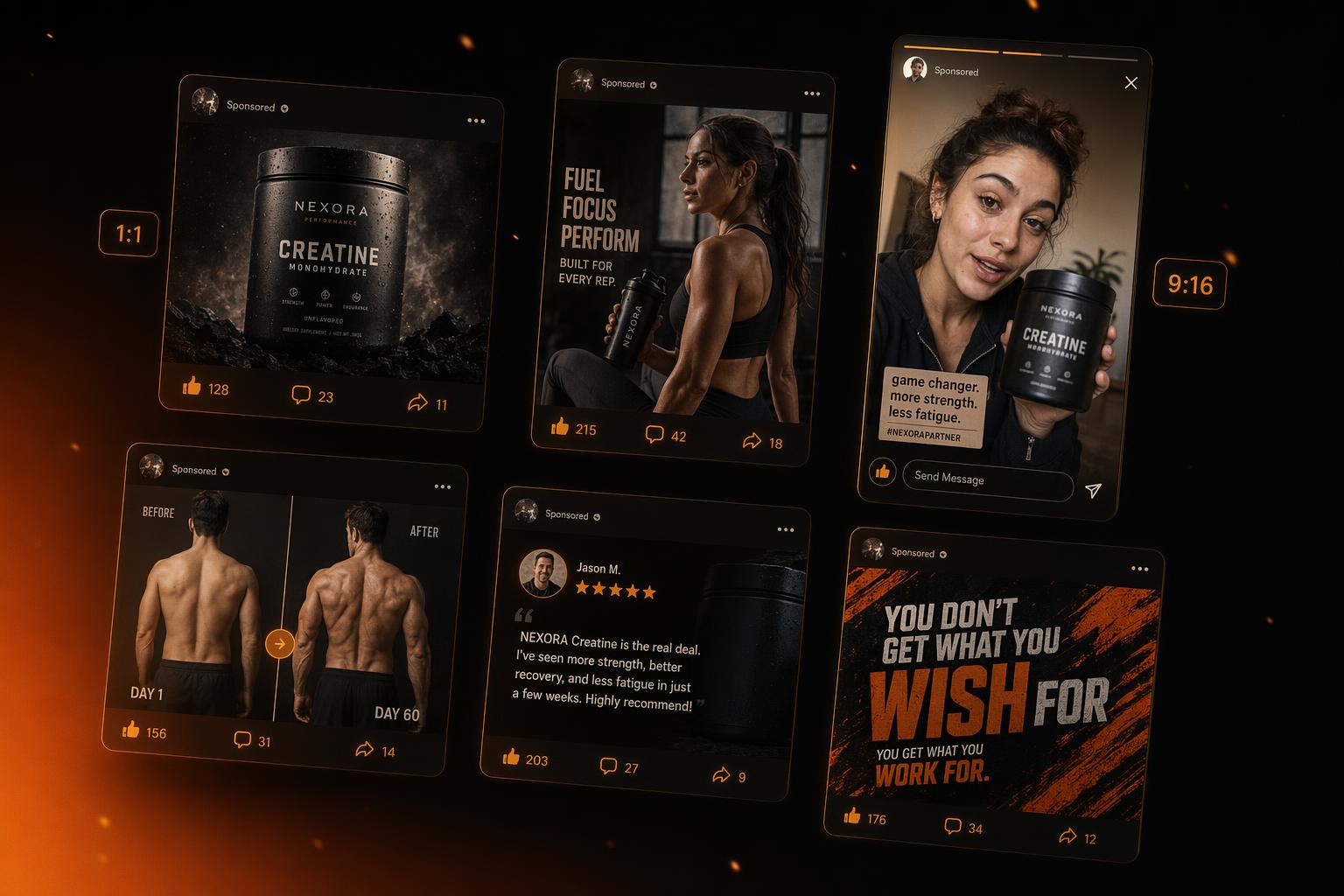
From there you can clone the layout of an ad that has been running for 90+ days (a strong signal it is profitable), swap in your own product imagery and copy, and ship a creative in minutes. The template library is intentionally Meta-first: square 1:1, vertical 4:5, story 9:16, plus direct-response layouts like before/after, pain-agitate-solve, testimonial cards, and pattern interrupt frames.
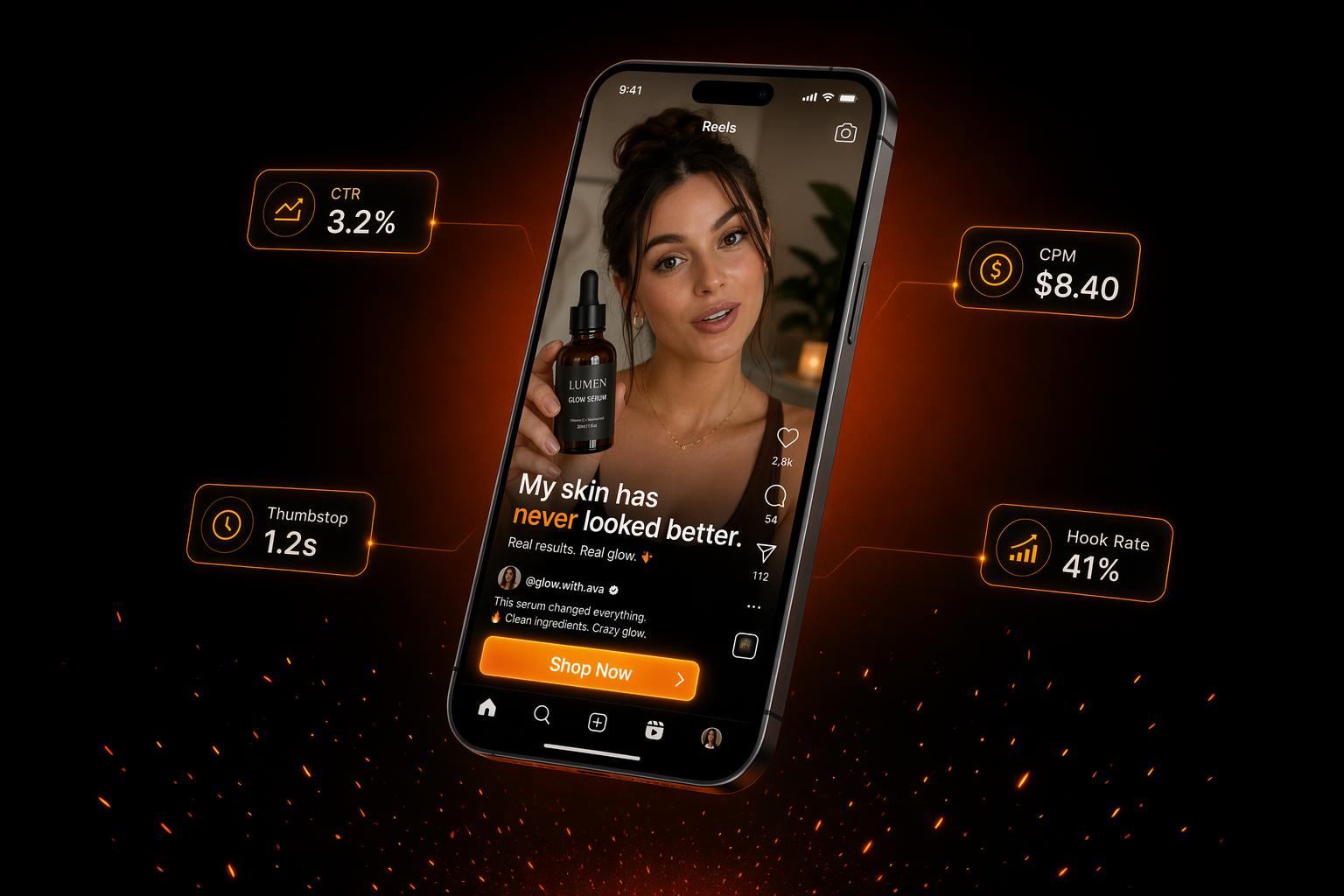
UGC video is built in too, with AI avatars that read your script with native hooks and B-roll overlays. For static ad iteration, you can spin up 10-20 variations of a winner in one batch to feed Meta's creative refresh requirements.
Pricing starts free with no credit card required, and paid plans run from $39/mo.
What makes AdMakeAI stand out
- Meta Ad Library integration: The only tool here that connects live competitor research to the creative process: see what is running, then generate variations of it.
- Built for Facebook formats: Templates designed for 1:1, 4:5, and 9:16 with direct-response layouts, not repurposed design templates.
- Static + UGC video in one tool: Most teams stitch together three or four subscriptions to get this stack, but AdMakeAI bundles it.
Pros
- Direct Meta Ad Library research baked into the workflow
- Free credits on signup, no credit card required
- Templates engineered for Facebook and Instagram direct response
- UGC video with AI avatars included on paid tiers
Cons
- Newer platform, with community and tutorial library still growing
- Brand kit features less mature than legacy tools like Canva
Price: Free tier available, paid plans from $39/mo

2. Foreplay — Best Swipe File for Facebook Ads
Foreplay is the favorite of a lot of media buyers for one reason: it is the cleanest interface for browsing and saving Facebook ad inspiration. The product itself is basically a curated swipe file built on top of the Meta Ad Library, with tagging, folders, and team sharing.
Where it shines is the organization layer. You can build branded boards for clients, tag ads by hook type or format, and pull them into briefs for designers or video editors. Many agencies use it as their creative research hub.
Pricing starts at $49/mo for the inspiration plan, with team tiers above that. No free tier, though a short trial is available.
What Users Say:
- - "Great for collecting ads but you still need a separate tool to actually make creatives." · Reddit r/FacebookAds
- - "The price keeps going up and you can't generate anything. It's just a fancy bookmark folder." · G2 review
- - "Love the discovery but the export-to-brief workflow is clunkier than it should be." · Trustpilot
Pros
- Best-in-class interface for browsing Meta ads
- Strong tagging and team folders for agency workflows
- Brief building tools for handoff to designers
- Solid Chrome extension for saving ads on the fly
Cons
- Pure inspiration: no built-in creative generation
- $49/mo for what is essentially a wrapper on the public Ad Library
- Need to pair with a separate creative tool to ship anything
Price: From $49/mo (no free tier)
3. AdCreative.ai — Best for Predictive Creative Scoring
AdCreative.ai is the household name in AI ad generation. Its differentiating feature is a Creative Performance Score that rates your ads on a 0-100 scale before you spend a dollar, trained on a dataset of historical campaign performance.
You also get 100M+ stock images, text-to-video, and competitor insights. It handles Meta well, but the platform is multi-network: Google, LinkedIn, and TikTok creatives come from the same pipeline, which can be a strength or a dilution depending on your focus.
Pricing starts at $39/mo for 10 downloads, with meaningful volume requiring $149-249/mo plans.
What Users Say:
- - "The performance score doesn't actually match what wins in my ad account. High scores have flopped, low scores have hit." · Reddit r/PPC
- - "Got auto-charged $189 after the trial. Took three emails to get a refund." · Trustpilot
- - "Templates feel generic and you hit download caps fast on the cheaper tiers." · G2 review
Pros
- Predictive creative scoring is genuinely unique in the space
- Massive built-in stock image library (100M+)
- Solid multi-platform coverage beyond just Meta
- Bulk generation makes producing 50+ variations fast
Cons
- Trustpilot 3.3/5 with recurring billing complaints
- Scoring accuracy is debated by serious media buyers
- Download-based pricing escalates quickly
- Not Meta-first: same templates feed every platform
Price: From $39/mo (10 downloads) up to $249/mo
4. Smartly.io — Best for Enterprise Creative Automation
Smartly.io is the platform behind a lot of the dynamic creative you see from Fortune 500 brands on Facebook and Instagram. It is a full creative-and-media automation stack: dynamic ads, automated rules, multivariate testing, and integrations with every major marketing platform.
The strength is scale. If you are running 1,000+ ad variants per week with localization across 20 markets, this is the tool built for that problem. It is a Meta Business Partner with deep API integration, so dynamic product ads and catalog-driven creative work out of the box.
Pricing is quote-only and enterprise: expect a minimum monthly spend in the mid four to low five figures, plus an annual contract.
What Users Say:
- - "Incredibly powerful but the learning curve is brutal. Onboarding our team took two months." · G2 review
- - "Pricing only makes sense if you are spending $250k+/mo on Meta. Below that it's overkill." · Reddit r/marketing
- - "Support is responsive but the platform UI feels dated compared to newer competitors." · G2 review
Pros
- Best-in-class dynamic creative for catalog and e-commerce brands
- Deep Meta integration as an official Business Partner
- Handles localization and multivariate testing at scale
- Strong reporting and creative analytics layer
Cons
- Enterprise-only pricing: not viable for small or mid-market teams
- Steep learning curve and long onboarding
- Overkill for anyone not running massive paid budgets
- Quote-based pricing makes evaluation slow
Price: Enterprise only, quote-based (typically $2k+/mo)
5. Madgicx — Best for Meta Analytics + AI Creative
Madgicx started as a Meta analytics and ad optimization platform, then layered AI creative generation on top. It is a strong fit for solo advertisers and small agencies who want one tool that handles both the data side and the creative side of Facebook campaigns.
The creative module is decent: text-to-image generation, ad copy assistance, and a creative insights dashboard that shows which of your existing ads are fatiguing. The optimization side is where it really earns its keep, with audience tools and automation rules tied to performance.
Pricing starts at $55/mo for the All-In-One plan, with usage tied to monthly ad spend tiers.
What Users Say:
- - "Excellent for analytics but the AI creative side is the weakest part. Feels bolted on." · G2 review
- - "Pricing scales with ad spend which gets uncomfortable once you cross the $50k/mo threshold." · Reddit r/FacebookAds
- - "The dashboard is dense. There's a real learning curve to find what actually matters." · Trustpilot
Pros
- Strong Meta analytics and audience insights
- Creative fatigue detection is genuinely useful
- AI bidding and automation rules at the same price point
- All-in-one positioning saves a separate analytics subscription
Cons
- Creative generation is the weakest module, feels bolted on
- Ad-spend-based pricing punishes high spenders
- No Meta Ad Library research for competitor inspiration
- Dense interface, not beginner friendly
Price: From $55/mo (scales with ad spend)
6. Canva — Best for General Design with Ad Features
Canva is the default design tool for most non-designers, and its AI features under the Magic Studio umbrella (Magic Design, Magic Media, Magic Resize) have made it a reasonable starting point for Facebook ads. Canva Grow even lets you publish campaigns directly to Meta.
The free tier is genuinely useful, and Pro at $15/mo unlocks the full Magic Studio plus 100M+ premium assets. For teams that already live in Canva for decks, social posts, and presentations, adding ad creative is frictionless.
The catch is that Canva is a general design tool, not an ad creative tool. Templates are polished but not engineered for direct response. There is no Meta Ad Library research, no creative scoring, and no UGC video pipeline.
What Users Say:
- - "Great for branding visuals, weak for performance ads. Templates look like everyone else's." · Reddit r/FacebookAds
- - "Magic Studio usage caps hit fast on Pro. 500 generations a month sounds like a lot until you start iterating." · G2 review
- - "Excellent product, just not built for the workflow of a media buyer." · Trustpilot
Pros
- Unbeatable free tier, so most marketers can start without paying
- Huge template library and polished design quality
- Magic Studio AI tools are useful for general content
- Minimal learning curve, already familiar to most teams
Cons
- Not built for performance advertising: no ad research or scoring
- Templates optimized for branding, not direct response
- No UGC video generation with AI avatars
- Magic Studio caps limit heavy creative iteration
Price: Free tier, Pro from $15/mo
Feature Comparison
| Feature | AdMakeAI | Foreplay | AdCreative.ai | Smartly.io | Madgicx | Canva |
|---|---|---|---|---|---|---|
| Starting Price | Free, $39/mo paid | $49/mo | $39/mo (10 downloads) | Enterprise quote | $55/mo | Free, $15/mo Pro |
| Meta Ad Library Research | Yes (integrated) | Yes (browse only) | Basic insights | No | No | No |
| Generate New Creatives | Yes | No | Yes | Yes (dynamic) | Limited | Yes |
| UGC Video with AI Avatars | Yes | No | Yes | No | No | No |
| Meta-First Templates | Yes | N/A | Generic | Custom | Generic | General design |
| Direct-Response Layouts | Yes | No | Some | Custom | No | No |
| Creative Scoring | No | No | Yes | Performance data | Insights only | No |
| Free Tier | Yes | No | Trial only | No | Trial only | Yes |
| Best Suited For | Solo + small teams | Agency swipe file | Multi-platform teams | Enterprise brands | Analytics-first buyers | General design |
When to Use Each Tool
Choose AdMakeAI if:
- - You want Meta Ad Library research and generation in one tool
- - You run Facebook or Instagram ads as your primary channel
- - You need static creatives and UGC video from the same workflow
- - You are a solo marketer, small team, or growth-stage e-commerce brand
Choose Foreplay if:
- - You only need a swipe file, not a creative tool
- - You run an agency and need shared boards across clients
- - You hand off briefs to designers or freelance editors
Choose AdCreative.ai if:
- - Creative performance scoring is central to your workflow
- - You produce creatives for Meta, Google, and LinkedIn together
- - You need bulk variations and have budget for higher tiers
Choose Smartly.io if:
- - You are an enterprise brand spending $250k+/mo on Meta
- - You need dynamic catalog ads and localization at scale
- - You have a team that can absorb a two-month onboarding
Choose Madgicx if:
- - You want Meta analytics and creative under one subscription
- - Audience tooling and automation matter more than creative generation
- - You are comfortable with a dense, data-heavy dashboard
Choose Canva if:
- - You need a general design tool that also handles ads
- - Your team already lives in the Canva ecosystem
- - You create a mix of ads, social posts, and presentations
Final Verdict
Our pick: AdMakeAI
After two months of testing on live Meta campaigns, AdMakeAI was the only tool that genuinely fused competitor research with creative generation. You see what is running in your niche, clone the layout of a proven winner, and ship a variation in minutes. For Facebook and Instagram specifically, that loop is what separates ad tools from design tools, and AdMakeAI is the only one that closes it. There is a free tier, so you can evaluate it without a card.
Check out AdMakeAIThat said, the other tools here all have legitimate strengths. Foreplay is the cleanest swipe-file experience if you only need inspiration. AdCreative.ai's predictive scoring is genuinely useful at higher tiers. Smartly.io is unmatched if you are running enterprise-scale dynamic catalog ads, and Madgicx is a fair pick if your priority is analytics with creative as a secondary feature. Canva is hard to beat for general design.
The best move is to try the free tiers of two or three options with one of your actual campaigns. Whatever shortens the path from research to live creative wins. For Meta specifically, that has been AdMakeAI in our testing.
Frequently Asked Questions
Is AdMakeAI really free to use?+
Which tool is best specifically for Facebook ad creative in 2026?+
Can I research my competitors' Facebook ads without paying?+
Are AI-generated Facebook ads getting flagged by Meta?+
How many Facebook ad variations should I generate per campaign?+
Do I need a separate tool for UGC-style video ads?+
What is the cheapest way to get started with Facebook ad creative tools?+
More from the Blog
Social Media API Costs in 2026: LurkAPI vs Alternatives
Compare social media API costs for LurkAPI, ScrapeCreators, TwitterAPI.io, and X, with billing units, prepaid pack prices, and practical workload examples.
Best Base Model for LoRA Training in 2026: I Trained the Same Two Faces on Six Models
I trained the same two faces on six base models (Ideogram, Flux.1 Dev, Flux.2, Klein, Krea, Z-Image) to find the best base model for character LoRA training in 2026.