Best AI Headshot Generators in 2026: A Hands-On Comparison
We tested the top AI headshot generators on real selfies. Compare quality, turnaround time, and pricing to find the best LinkedIn headshot tool.
AI headshot generators have quietly replaced the corporate photo studio for a lot of people. We spent 50+ hours running selfies through the top tools, comparing output quality, training time, and what you actually pay to get usable LinkedIn-ready shots.
bestphotoAI is our top pick because it trains a real custom model on your face and bundles 40+ other AI tools you will keep using. Aragon AI is the strongest pure one-time-purchase competitor. Secta Labs leans editorial. HeadshotPro is built for corporate uniformity.
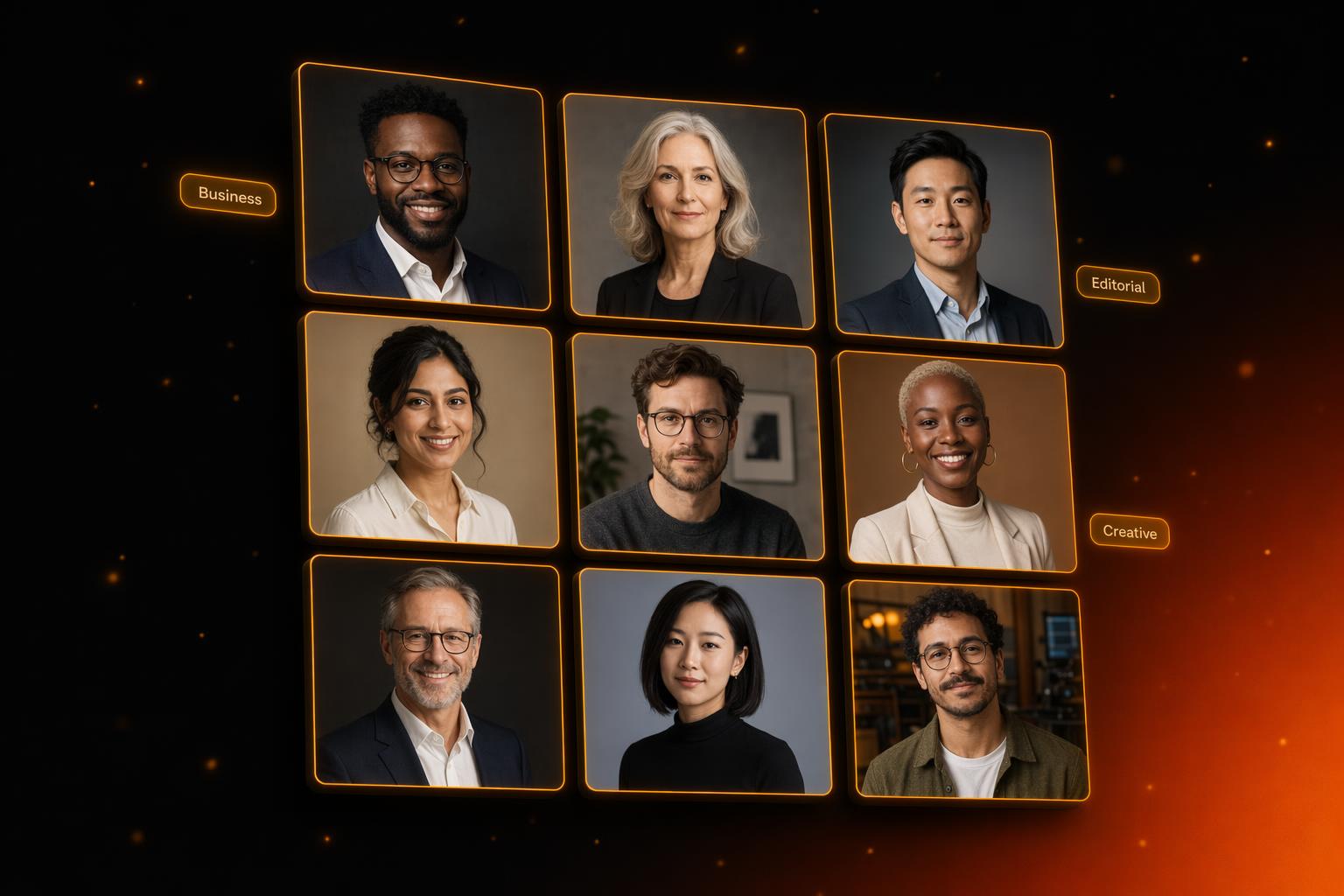
1. bestphotoAI — Best Overall AI Headshot Generator
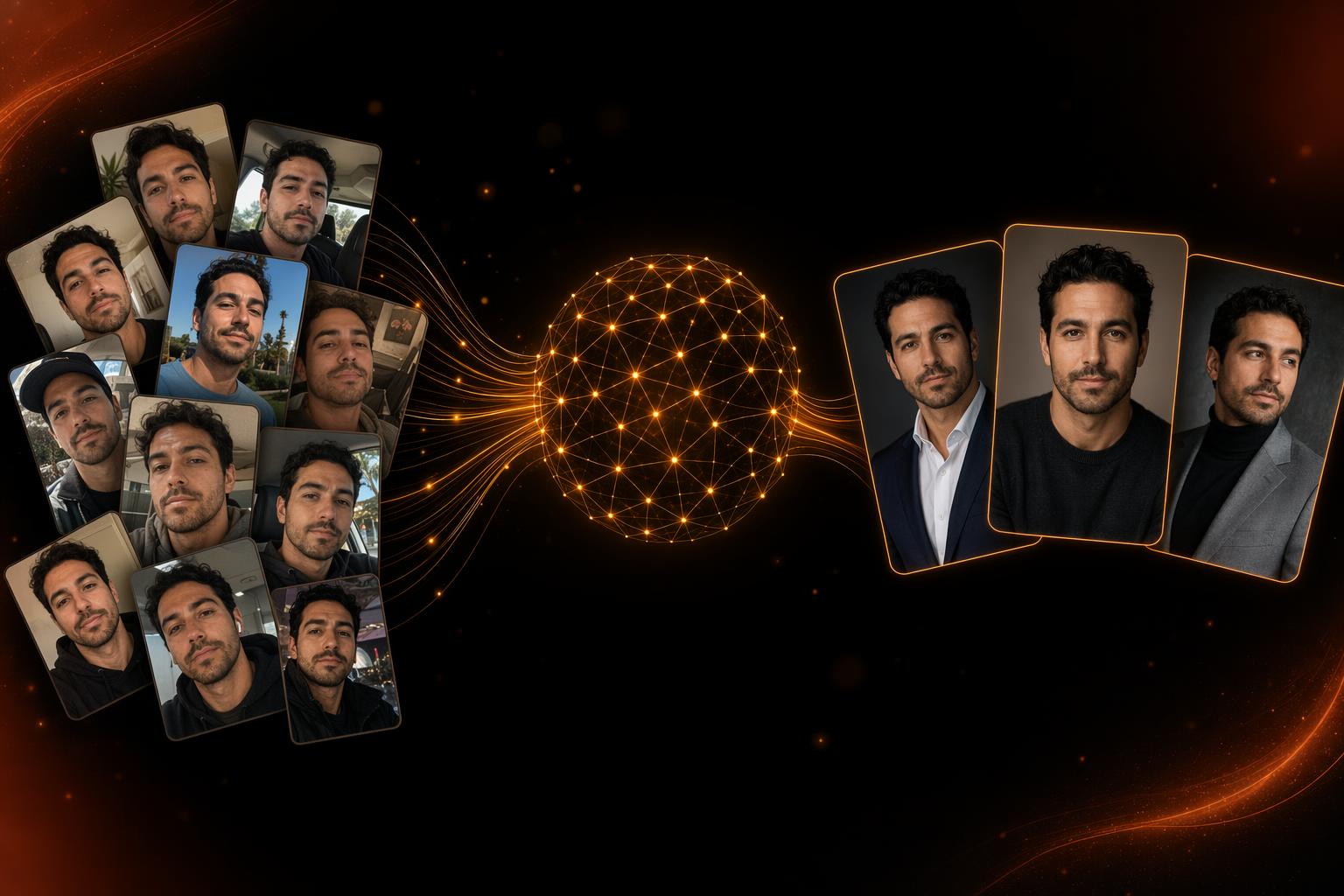
bestphotoAI started as a dedicated AI headshot generator before growing into a full 40+ tool platform. The headshot pipeline is still the most polished part: upload 10-15 reference selfies, the system fine-tunes a model on your face in about 40 minutes, and you can then generate unlimited variations across business, casual, creative, and editorial styles.
Because the model is actually fine-tuned on you (not just a single reference image swapped onto a stock photo), the results hold up to scrutiny. Skin texture, eye shape, and asymmetries that matter for likeness carry through, which is exactly where cheaper one-shot face swap tools fall apart.
You can switch between AI models in the same interface (GPT Image 1.5, Flux 2, and Nano Banana Pro) depending on whether you want photoreal corporate output, stylized creative shots, or fast iteration. Most competitors lock you into a single proprietary model.
The catch is the subscription model: $14/mo unlocks training and generation, where competitors like Aragon and HeadshotPro charge a one-time fee. The trade-off is that you also get image editing, video generation, outfit swaps, background replacement, and 40+ other tools beyond headshots.
What makes bestphotoAI stand out
- Real custom model training: Fine-tunes on your face in ~40 minutes for output that actually resembles you.
- Multi-model flexibility: Switch between GPT Image 1.5, Flux 2, and Nano Banana Pro to match the headshot style you want.
- Unlimited generation after training: No per-shot credits eating into your headshot budget once your model is built.
- 40+ extra tools you will keep using: Background replacement, outfit swaps, photo restoration, and video generation stay useful long after your headshot session.
Pros
- Real custom model training, not just face swap
- Multiple AI models in one interface
- Unlimited generation once the model is trained
- 40+ AI tools beyond headshots: outfits, backgrounds, video
- Free tier with no credit card to test the workflow
Cons
- Subscription ($14/mo) rather than one-time payment
- Training takes ~40 minutes (not instant)
- Browser-based only: no native desktop app
2. Aragon AI — Best One-Time Purchase Option
Aragon AI is the most widely recognized name in the AI headshot category. The pipeline is clean: upload selfies, wait roughly 90 minutes, and pick from a batch of generated headshots across business and lifestyle styles.
Pricing is one-time per session, ranging from about $35 to $89 depending on how many headshots and styles you want. There is no subscription, which is the right call for someone who needs headshots once a year and nothing else.
The trade-off is rigidity. You get what the package includes: no unlimited regeneration, no outfit experimentation after the fact, and if the output misses likeness, you are paying again to retrain. Hand and ear artifacts come up frequently in user reviews.
What Users Say:
- - "Half the photos didn't look like me. Refund was a hassle." · Trustpilot
- - "Good output but expensive once you need a re-do." · Reddit r/LinkedIn
- - "Hands and ears come out weird sometimes." · G2 review
Pros
- One-time payment, no subscription commitment
- Polished, well-known brand in the headshot category
- Decent style variety per package
- Turnaround under 2 hours on most plans
Cons
- Per-session pricing adds up if likeness misses
- No unlimited regeneration after delivery
- Hand and ear artifacts reported in reviews
- Single-purpose: no editing tools beyond headshots
Price: $35-$89 one-time per session
3. HeadshotPro — Best for Corporate Team Headshots
HeadshotPro is built around one core use case: matching corporate headshots for an entire team. Backgrounds, lighting, and crops stay consistent across employees, which is exactly what you need for a company directory or sales page.
Pricing runs $29-$59 one-time per person, with team discounts available. Turnaround is typically a couple of hours, and the styles lean strongly toward conservative business attire.
For pure executive-portrait use, it does the job. For anything more creative (editorial photography, lifestyle shots, anything other than a suit against a gradient backdrop), you will hit the limits quickly. Likeness is also more variable here than on tools with full custom model training.
What Users Say:
- - "Great for a team rollout, less great for personal use." · G2 review
- - "Output is fine but feels generic, every face has the same lighting." · Trustpilot
- - "Likeness was hit-or-miss across our team." · Reddit r/startups
Pros
- Team-friendly with consistent style across employees
- Straightforward one-time pricing per headshot
- Fast turnaround for business use cases
- Clean UI focused on the corporate workflow
Cons
- Heavily skewed toward conservative business styles
- Likeness can be inconsistent without model training
- No editing, outfit swaps, or generation tools
- Output can feel templated across team members
Price: $29-$59 one-time per person
4. Secta Labs — Best for Editorial and Premium Output
Secta Labs sits at the upper end of the headshot space, charging $49 to $99 per session in exchange for output that is genuinely closer to a real photo shoot. Lighting, retouching, and color grading are more considered than competitors at lower price points.
Style range leans editorial: think founder portrait for a press piece rather than badge photo for the office. Users consistently highlight Secta as the choice when output quality matters more than getting the cheapest deal.
The downsides are predictable: per-session pricing means the cost of experimentation is high, and turnaround stretches longer than the 90-minute tier. There is no ongoing relationship with your trained model. Once the session is delivered, you start over for new shots.
What Users Say:
- - "Best AI headshots I've used, but the price stings." · Reddit r/Entrepreneur
- - "Closest thing to a real shoot, just not cheap." · Trustpilot
- - "Turnaround took longer than advertised on my last batch." · G2 review
Pros
- Output quality is among the best in the category
- Editorial-leaning styles look less templated
- Retouching and color work are more polished
- Good fit for press photos and personal brand shots
Cons
- Most expensive tool on this list per session
- Turnaround can stretch beyond stated estimates
- No persistent custom model: pay again for new sessions
- Single-purpose tool, no editing extras
Price: $49-$99 one-time per session
5. BetterPic — Best for Fast Turnaround
BetterPic competes on speed. Plans run $35 to $65 one-time, with delivery often inside an hour, which is the fastest in this comparison. The workflow is deliberately stripped down: upload, pick a package, wait, download.
Output quality is solid for the price tier, better than HeadshotPro on stylistic variety, not quite at Secta's editorial bar. The mid-tier plans give a reasonable mix of business and casual styles for LinkedIn-grade output.
The cons echo the rest of the per-session tools: when likeness misses, you pay again. There is no fine-tuning loop, no editing tools afterwards, and feedback options on rejected shots are limited.
What Users Say:
- - "Fastest turnaround I found, got headshots before lunch." · Trustpilot
- - "Quality is fine for LinkedIn, wouldn't use it for press." · Reddit r/Marketing
- - "Some shots looked like a different person. No easy refund." · G2 review
Pros
- Fastest delivery in this comparison, often under an hour
- Reasonable price-to-output ratio for LinkedIn use
- Decent style variety across business and casual
- Straightforward, no-friction workflow
Cons
- Per-session model: pay again for re-dos
- Likeness misses reported on lower-tier plans
- No persistent model or post-delivery editing
- Refund process is a recurring complaint
Price: $35-$65 one-time per session
6. Try It On AI — Best Indie Option
Try It On AI is the indie hacker pick: a smaller team running a tightly-focused tool, in the spirit of Pieter Levels' Photo AI. Plans land around $39 to $49 one-time, and the appeal is the personal feel of the product compared to the bigger players.
Style range tilts more creative and less corporate, which is either a plus or a minus depending on what you want. The trained model handles casual and lifestyle shots reasonably well, and the team ships updates more visibly than the larger competitors.
The downsides are the usual indie trade-offs: smaller team means slower support, model updates can lag, and conservative business styles are not the strongest output. For founders building a personal brand, the indie feel can be a feature; for a corporate rollout, it probably is not the right pick.
What Users Say:
- - "Founder is responsive on Twitter, that's worth something." · Reddit r/SideProject
- - "Output is more 'creative' than 'corporate', fit depends on use case." · Trustpilot
- - "Support replies are slow when something goes wrong." · G2 review
Pros
- Friendlier price point than premium tools
- Stronger on creative and lifestyle styles
- Responsive indie team with visible iteration
- Personal feel compared to bigger platforms
Cons
- Smaller team, so support can be slow
- Weaker on conservative corporate output
- Model updates lag larger competitors
- Not designed for team or company-wide rollouts
Price: $39-$49 one-time per session
Feature Comparison
| Feature | bestphotoAI | Aragon AI | HeadshotPro | Secta Labs | BetterPic | Try It On AI |
|---|---|---|---|---|---|---|
| Starting Price | Free / $14/mo | $35-$89 one-time | $29-$59 one-time | $49-$99 one-time | $35-$65 one-time | $39-$49 one-time |
| Custom Model Training | Yes, fine-tuned on your face | Yes (per session) | Yes (per session) | Yes (per session) | Yes (per session) | Yes (per session) |
| Training Time | ~40 minutes | ~90 minutes | ~2 hours | Variable | Often <60 min | ~2 hours |
| Unlimited Regeneration | Yes (after training) | No | No | No | No | No |
| Style Variety | Business, casual, creative, editorial | Business + lifestyle | Corporate only | Editorial-leaning | Business + casual | Creative-leaning |
| Outfit Swaps | Yes | Limited | Limited | Limited | Limited | Limited |
| Background Replacement | Yes (free tool) | No (post-delivery) | No (post-delivery) | No (post-delivery) | No (post-delivery) | No (post-delivery) |
| Other Tools Included | 40+ AI tools | Headshots only | Headshots only | Headshots only | Headshots only | Headshots only |
| Free Tier | Yes | No | No | No | No | No |
| Team Rollout Fit | Good (per-seat) | Limited | Excellent | Limited | Limited | Limited |
When to Use Each Tool
Choose bestphotoAI if:
- You want unlimited regeneration once your model is trained
- You will use AI image and video tools beyond headshots
- You want to experiment with outfits, backgrounds, and styles
- You prefer a subscription with broad tool coverage over a one-time fee
Choose Aragon AI if:
- You need headshots once and want to pay once
- You want a well-known brand with a polished workflow
- You only need standard business and lifestyle output
Choose HeadshotPro if:
- You are rolling out headshots for an entire team
- You need matching backgrounds and lighting across employees
- Conservative business attire is the only style you need
Choose Secta Labs if:
- You want the closest output to a real photo shoot
- You need editorial headshots for press or personal brand
- Budget is less of a constraint than output quality
Choose BetterPic if:
- You need headshots in under an hour
- LinkedIn-grade output is all you need
- You want a simple, no-friction workflow
Choose Try It On AI if:
- You like supporting indie-built tools
- You want creative and lifestyle styles over corporate
- You are building a personal brand, not a corporate directory
Final Verdict
Our pick: bestphotoAI
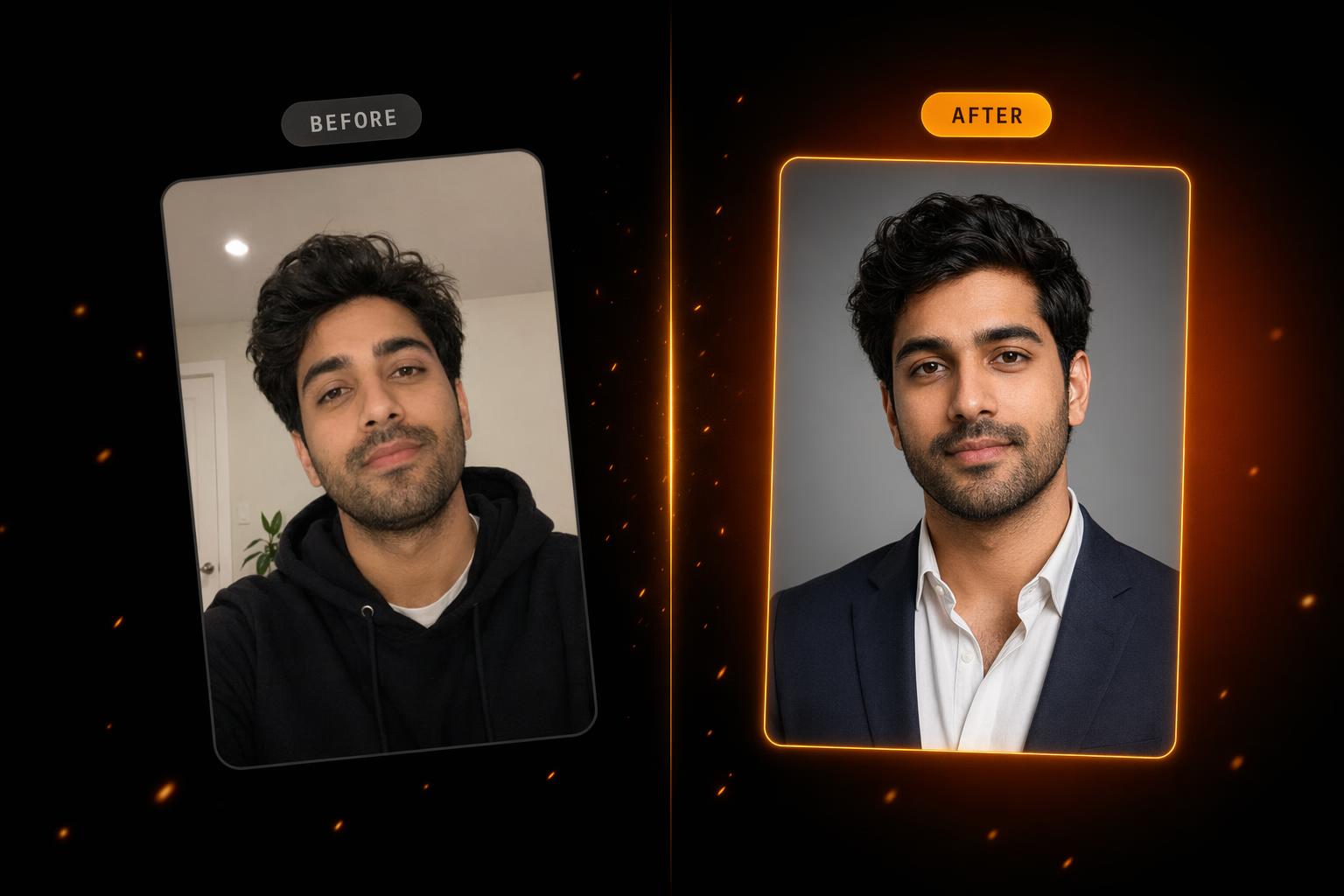
After testing everything on this list, bestphotoAI was the clear winner because of how much further it goes than a single headshot session. The custom model is real fine-tuning rather than a face swap, generation is unlimited after training, and the same subscription covers 40+ other AI tools you will keep using.
Check out bestphotoAIThat said, the per-session tools have real merit. Aragon AI is a sensible pick if you genuinely need headshots once and never again. HeadshotPro is built specifically for the corporate team rollout case and does it better than anyone. Secta Labs is the one to pick if editorial quality matters more than cost.
The honest test: try the free tier of bestphotoAI first, and only spring for a one-time competitor if you are certain you will never need to regenerate, restyle, or edit afterwards.
Frequently Asked Questions
How does bestphotoAI compare to per-session headshot tools?+
How many reference photos do I need to train a model?+
Are AI headshots good enough for LinkedIn?+
Are AI headshots usable for executive or press photos?+
What is the typical turnaround for AI headshots?+
Can I use AI headshots commercially?+
Is the subscription model worth it over one-time payment?+
More from the Blog
Social Media API Costs in 2026: LurkAPI vs Alternatives
Compare social media API costs for LurkAPI, ScrapeCreators, TwitterAPI.io, and X, with billing units, prepaid pack prices, and practical workload examples.
Best Base Model for LoRA Training in 2026: I Trained the Same Two Faces on Six Models
I trained the same two faces on six base models (Ideogram, Flux.1 Dev, Flux.2, Klein, Krea, Z-Image) to find the best base model for character LoRA training in 2026.